

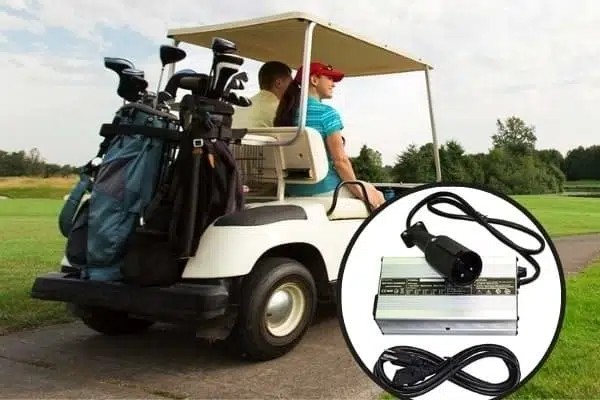
Properly charging your golf cart batteries is key to extending their life and maintaining peak performance. This step-by-step guide will walk you through how to safely charge your golf cart batteries using a dedicated golf cart battery charger. Follow these instructions to ensure a secure and effective charging routine.
Begin by carefully reading the instruction manual for your golf cart battery charger. Take note of the manufacturer’s specific charging guidelines and safety recommendations.
Select a dry, well-ventilated spot for charging. Keep the area clear of flammable items and heat sources. Remove any clutter or debris to avoid accidents while charging.
Before connecting the charger, inspect it and all cables for damage or wear. Look for frayed wires, loose connections, or cracked plugs. If the charger appears damaged, do not use it, as this could create a safety hazard.
Make sure the golf cart is turned off and set to “Park.” Locate the battery terminals and identify the positive (+) and negative (–) ends. Attach the charger’s red cable (positive) to the positive terminal and the black cable (negative) to the negative terminal. Ensure all connections are tight and secure.
After securely connecting the charger to the batteries, plug it into a grounded power outlet. Verify that the charger is receiving electricity and operating properly. Many chargers include LED lights or a display to indicate power status, voltage, or charging mode.
Refer to the charger’s manual or control panel to choose the correct charging mode for your batteries. Options often include standard, fast, or maintenance charging. Pick the mode that matches your battery type and needs.
Keep an occasional watch on the charger while it’s operating. Check for unusual noises, vibrations, or excess heat. If you observe anything out of the ordinary, stop charging right away and consult a professional.
Once the batteries are fully charged, first unplug the charger from the wall outlet. Then disconnect the cables from the battery terminals, removing the negative cable first, followed by the positive.
Wipe down the charger and cables with a soft, dry cloth to remove dust or dirt. Neatly coil the cables for storage and place the charger in a cool, dry location, away from dampness and temperature extremes.
Safely charging your golf cart batteries is essential for their durability and reliability. By following this guide and the manufacturer’s directions, you can carry out an efficient and secure charging process. Always inspect your equipment, connect everything correctly, choose the right charging mode, monitor the session, and disconnect properly when finished. These careful steps will help you maintain your battery system and enjoy many trouble-free rounds on the course.
Next:Nio and CATL Sign Five-Year Deal on Long-Life Batteries and Battery Swap Network
Previous:CATL Confirms Large-Scale Sodium-Ion Battery Deployment in 2026
Contact Person: Miss. Kiki
| WhatsApp : | +8617763224709 |
|---|---|
| Skype : | +8617763224709 |
| WeChat : | +8617763224709 |
| Email : | kiki@lifepo4-battery.com |
